Codeigniter Online Live Class by Experts
Our Training/Internship Process

Codeigniter - Syllabus, Fees & Duration
Module 1: Introduction To Codeigniter Object Oriented Programming
- What is use of oops programming?
- What is Class in PHP?
- Declaration of Class.
- Creating an object for class
- PHP Access Specifier Private, protected and public
- Inheritance
- Encapsulation
- Polymorphism
- Abstract Class
- Final Class in oops
- Constructor – php 4
- Constructor and Destructor – php5
- Scope Resolution Operator (::) in php
- Parent keyword in oops
- Self keyword in oops
- This keyword in oops
- Class constants
Module 2: What’s Model-View-Controller
- Making Life Easier for the Developer
- Model
- Views
- Helpers and Libraries
Module 3: Revisiting The Opening Example
- First Things First: The Model
- Creating the Controller
- Creating the View
Module 4: A Slightly Different Approach: Templates
- Modifying the Controller
- Modifying the View
Module 5: CodeIgniter At A Glance
- The system/Folder
- The system/application Folder
Module 6: Initial Configuration
- config.php
- database.php
- autoload.php
- routes.php
Module 7: CodeIgniter Libraries
- The Database Library
- The Session Library
Module 8: CodeIgniter Helpers
- The Form Helper
- The URL Helper
Module 9: Creating Models, Views, And Controllers
- Models and Database Tables
- Controllers
- Views
Module 10: Creating A Rudimentary Admin Framework
- Using Folders to Organize Controllers
- Creating the Login Mechanism
- Creating the Home Page of the Admin Panel
Module 11: Importing And Exporting
- Creating an Export Function for Categories
- Creating an Export Function for Products
- Importing a CSV Import Library for Products
Module 12: Creating A Page Manager
- Creating the Database Table
- Creating the Model
- Creating the Admin/Pages Controller
- Creating the Administrative Views
- Choosing and Integrating a WYSIWYG
- Editor
- Updating the Welcome Controller
Module 13: Creating A Page Manager
- Creating the Database Table and Model
- Adding a subscribe() Function
- Creating the Form
- Creating Administrative Screens
Module 14: Security
- Filtering User Input
- Encrypting Sessions
- Additional Security Resources
This syllabus is not final and can be customized as per needs/updates
- Since 2001, Making IT Experts by Experts
- Duration: 60 Hours (Vary as per your skill)
- Course Fees
- Individual Live Classes (1:1)
- Batch Classes @ Low Fees
- Training on Your Time, Any Where
- Access to Recorded Videos
- Practical Internship on Projects
- 100% Placement Support by our jobsHybrid.com
- Training/Internship Certificate
- Agra
- Ahmedabad
- Alappuzha
- Aurangabad
- Bangalore
- Belgaum
- Bellary
- Bhubaneswar
- Chennai
- Cochin
- Coimbatore
- Delhi
- Dindigul
- Erode
- Gulbarga
- Guntur
- Gurgaon
- Haryana
- Hyderabad
- Idukki
- Indore
- Jaipur
- Kalyan
- Kannur
- Kanpur
- Kasaragod
- Kerala
- Kolkata
- Kollam
- Kottayam
- Kozhikode
- Lucknow
- Madurai
- Malappuram
- Mangaluru
- Mumbai
- Mysuru
- Nagpur
- Nashik
- Navi Mumbai
- Nizamabad
- Noida
- Palakkad
- Pathanamthitta
- Pune
- Punjab
- Salem
- Shimla
- Solapur
- Surat
- Thane
- Thanjavur
- Thirunelveli
- Thoothukudi
- Thrissur
- Tiruchirappalli
- Tiruppur
- Trivandrum
- Vadodara
- Varanasi
- Vellore
- Vijayawada
- Visakhapatnam
- Wayanad
Course Highlights

Our Locations

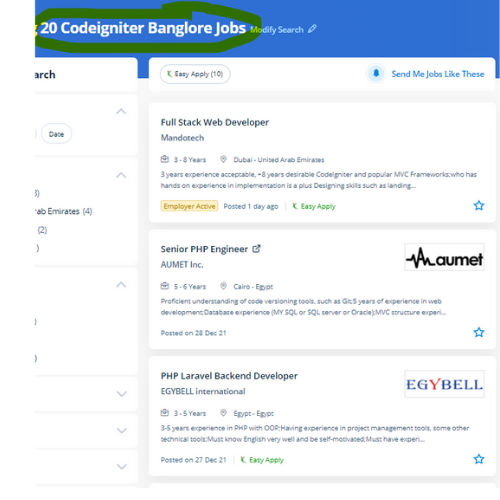
 Multiple safety features are available in the development platform it will keep your website running between completely different devices. the amount of code needed to develop an application of PHP is extremely low thus you'll target your project. Its framework depends on the system of the model view controller that is what makes the platform considerably reliable. Learn Codeigniter online course from Nestsoft with help of industry experts. To focus on your project, Codeigniter permits you to by minimizing the number of code needed for a given task. Our experts are working on the Codeigniter platform and connected technologies for a lot of years. The Codeigniter Course in Nestsoft could be a customized training program that enriches the knowledge. The CodeIgniter platform provides community support to the users who may also be battling certain issues or problems while developing the website using the particular framework.
. CodeIgniter has a collection of predefined libraries which will facilitate creating necessary functions without the need for coding from scratch.
Multiple safety features are available in the development platform it will keep your website running between completely different devices. the amount of code needed to develop an application of PHP is extremely low thus you'll target your project. Its framework depends on the system of the model view controller that is what makes the platform considerably reliable. Learn Codeigniter online course from Nestsoft with help of industry experts. To focus on your project, Codeigniter permits you to by minimizing the number of code needed for a given task. Our experts are working on the Codeigniter platform and connected technologies for a lot of years. The Codeigniter Course in Nestsoft could be a customized training program that enriches the knowledge. The CodeIgniter platform provides community support to the users who may also be battling certain issues or problems while developing the website using the particular framework.
. CodeIgniter has a collection of predefined libraries which will facilitate creating necessary functions without the need for coding from scratch.