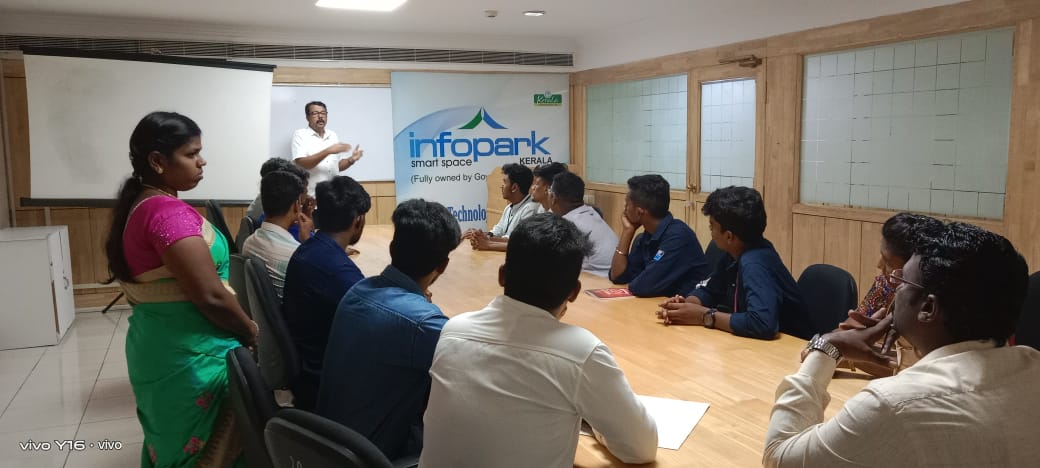
Wordpress Online Live Class by Experts
Our Training/Internship Process

Wordpress - Syllabus, Fees & Duration
- Wordpress Installation
- Domain Name Registration & Web Hosting
- Understanding FTP
- Wordpress Admin/Settings/Dashboard
- Wordpress Toolbar
- Why CMS (Content Management System)
- Managing Posts, Pages and Blogs
- Using Page Templates
- Visual Editor, Formatting, Hyperlinks etc.
- Using Wordpress for Website Development
- Manage Users (Adding & Managing)
- Installation Social Media Plugins
- Installation Form Plugins
- Installation Woocommerce / E-commerce Plugin
- Managing Media: Image Gallery, Video & Multimedia
- Manage Categories, Tags and Menu Links
- Discussion Settings
- Themes & Widgets (Installing, Appearance and Activating)
- Customize Logo, Title, & Tagline
- Customize Header, Colors, Layout
- Customize Wordpress for Mobile (Responsive)
- Adding a Site Icon (Favicon)
- Installing & Manage Wordpress Plugins
- Wordpress Database (DBManager)
- Yoast SEO (Wordpress SEO)
- Upgrading / Updating Wordpress
- Security Plugins
- Automated Backups
This syllabus is not final and can be customized as per needs/updates
- Since 2001, Making IT Experts by Experts
- Duration: 30 Hours (Vary as per your skill)
- Course Fees
- Individual Live Classes (1:1)
- Batch Classes @ Low Fees
- Training on Your Time, Any Where
- Access to Recorded Videos
- Practical Internship on Projects
- 100% Placement Support by our jobsHybrid.com
- Training/Internship Certificate
- Agra
- Ahmedabad
- Alappuzha
- Aurangabad
- Bangalore
- Belgaum
- Bellary
- Bhubaneswar
- Chennai
- Cochin
- Coimbatore
- Delhi
- Dindigul
- Erode
- Gulbarga
- Guntur
- Gurgaon
- Haryana
- Hyderabad
- Idukki
- Indore
- Jaipur
- Kalyan
- Kannur
- Kanpur
- Kasaragod
- Kerala
- Kolkata
- Kollam
- Kottayam
- Kozhikode
- Lucknow
- Madurai
- Malappuram
- Mangaluru
- Mumbai
- Mysuru
- Nagpur
- Nashik
- Navi Mumbai
- Nizamabad
- Noida
- Palakkad
- Pathanamthitta
- Pune
- Punjab
- Salem
- Shimla
- Solapur
- Surat
- Thane
- Thanjavur
- Thirunelveli
- Thoothukudi
- Thrissur
- Tiruchirappalli
- Tiruppur
- Trivandrum
- Vadodara
- Varanasi
- Vellore
- Vijayawada
- Visakhapatnam
- Wayanad
Course Highlights

Our Locations

 . It permits it to run, lets you edit the content of the site, produces new posts and pages, and then makes assure that your website displays properly on all devices. Plugins are an important part of websites that add a new feature to the site. If you’re not considering launching a completely featured site yet, however just need to experiment with WordPress, you would possibly need to think to consider contemplating WordPress on a local server. Using WordPress you can create business websites, eCommerce stores, blogs, resumes, forums, etc. It doesn't need more coding knowledge so it is very simple to build a website. You will not only gain knowledge of WordPress and Advanced tools but also gain exposure to Industry best practices, Aptitude & Soft Skills. Plugins make your website professional and each plugin has its own role. WordPress is easy to use for even people who are from non-technical backgrounds. Our expert trainers help you with the creation of content, managing, and handling of WordPress Plugins.