MCSA Online Live Class by Experts
Our Training/Internship Process

MCSA - Syllabus, Fees & Duration
MODULE 1
- Windows Server 2008 Active Directory, Configuring
- Configuring DNS for Active Directory
- Configuring zones
- Configuring DNS server settings
- Configuring zone transfer and Replication
- Configuring the AD infrastructure
- Configuring a forest or a domain
- Configuring trusts - Configuring sites
- Configuring AD replication
- Configuring the global catalog
- Configuring operation masters
- Configuring additional AD server roles
- Configuring AD Lightweight Directory Services (AD LDS)
- Configuring AD Rights Management Service (AD RMS)
- Configuring read-only domain controller (RODC)
- Configuring AD Federation Services (AD FS)
MODULE 2
- Configuring and maintaining AD objects
- Automate the creation of AD accounts
- Maintain AD accounts
- Create and apply Group Policy objects (GPOs)
- Configure GPO templates
- Configure software deployment GPOs
- Configure account policies
- Configure audit policy by using GPOs
MODULE 3
- Maintaining the AD environment
- Configuring backup and recovery
- Perform offline maintenance
- Monitor AD
MODULE 4
- Configuring AD Certificate Services
- Install AD Certificate Services
- Configure CA server settings
- Manage certificate templates
- Manage Enrolments
- Manage Certificate revocations
MODULE 5
- Windows Server 2008 Network Infrastructure
- Configuring IP Addressing and Services
- Configuring IPv4 and IPv6 addressing
- Configuring Dynamic Host Configuration Protocol (DHCP)
- Configuring routing
- Configuring IPsec
MODULE 6
- Configuring Name Resolution
- Configuring DNS Server
- Configuring DNS zones
- Configuring DNS records
- Configuring DNS replication
- Configuring name resolution for client computers
MODULE 7
- Configuring Network Access
- Configure remote access
- Configure Network Access Protection (NAP)
- Configure network authentication
- Configure wireless access
- Configure firewall settings
MODULE 8
- Configuring File and Print Services
- Configure a file server
- Configure Distributed File System (DFS)
- Configure shadow copy services
- Configure backup and restore
- Manage Disk Quotas
- Configure and monitor print services
MODULE 9
- Monitoring and Managing a Network Infrastructure
- Configure Windows Server Update Services (WSUS) server settings
- Capture performance data - Monitor event logs
- Gather network data
MODULE 10
- Windows Server 2008 Application Infrastructure
- Configuring Deploy Servers
- Deploy images by using Windows Deployment Services
- Configure Microsoft Windows Activation
- Configure high availability
- Configure storage
MODULE 11
- Configuring Terminal Services
- Configure Windows Server 2008 Terminal Services Remote App (TS Remote App)
- Configure Terminal Services Gateway
- Configure Terminal Services load balancing
- Configure and monitor Terminal Services resources
- Configure Terminal Services Licensing
- Configure Terminal Services client connections
- Configure Terminal Services server options
MODULE 12
- Configuring a Web Services Infrastructure
- Configure Web applications
- Manage Web sites
- Configure a File Transfer Protocol (FTP) server
- Configure Simple Mail Transfer Protocol (SMTP).
- Manager Internet Information Services (IIS)
- Configure SSL security
- Configure Web site authentication and permissions
MODULE 13
- Configuring Network Application Services
- Configure Windows Media Server
- Configure Digital Rights Management (DRM)
- Configure Microsoft Windows SharePoint Services server options
- Configure Windows SharePoint Services e-mail integration
This syllabus is not final and can be customized as per needs/updates
- Since 2001, Making IT Experts by Experts
- Duration: 50 Hours (Vary as per your skill)
- Course Fees
- Individual Live Classes (1:1)
- Batch Classes @ Low Fees
- Training on Your Time, Any Where
- Access to Recorded Videos
- Practical Internship on Projects
- 100% Placement Support by our jobsHybrid.com
- Training/Internship Certificate
- Agra
- Ahmedabad
- Alappuzha
- Aurangabad
- Bangalore
- Belgaum
- Bellary
- Bhubaneswar
- Chennai
- Cochin
- Coimbatore
- Delhi
- Dindigul
- Erode
- Gulbarga
- Guntur
- Gurgaon
- Haryana
- Hyderabad
- Idukki
- Indore
- Jaipur
- Kalyan
- Kannur
- Kanpur
- Kasaragod
- Kerala
- Kolkata
- Kollam
- Kottayam
- Kozhikode
- Lucknow
- Madurai
- Malappuram
- Mangaluru
- Mumbai
- Mysuru
- Nagpur
- Nashik
- Navi Mumbai
- Nizamabad
- Noida
- Palakkad
- Pathanamthitta
- Pune
- Punjab
- Salem
- Shimla
- Solapur
- Surat
- Thane
- Thanjavur
- Thirunelveli
- Thoothukudi
- Thrissur
- Tiruchirappalli
- Tiruppur
- Trivandrum
- Vadodara
- Varanasi
- Vellore
- Vijayawada
- Visakhapatnam
- Wayanad
Course Highlights

Our Locations

 The window server administration trainers at NESTSOFT training in the Aurangabad are highly trained and have worked in the IT industry.
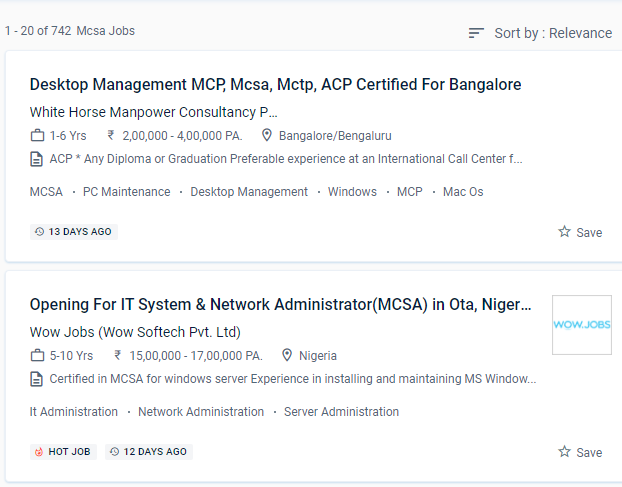
MCSA certification opens up job prospects such as computed technical support engineer, system engineer, and system administrator. Routing and switching, security, collaboration, and wireless are all covered in our certification examinations. MCSE credentials necessitate MCSA certifications. Graduates will work as information managers or network managers in the corporate or governmental sector.
The Microsoft Certified Solutions Associate window server certification is the first step in becoming a Microsoft Certified Solutions Expert for software professionals. You can enroll in the MCSA course at NESTSOFT if you have a basic understanding of computers and networking. Systems Administrator, Information Technology (IT) Manager, Senior Systems Administrator, Network Administrator, Information Technology (IT) Director, Systems Engineer (Computer Networking / IT), and Senior Systems Engineer are the most prevalent MCSA certification occupations. The MCSA (Microsoft Certified Solutions Associate) course in Aurangabad is aimed to teach students the fundamentals of the Microsoft Windows server platform's infrastructure. Troubleshooting, Monitoring, Managing and Recovering AD DS, as well as installing, upgrading, and moving servers and workloads.
The window server administration trainers at NESTSOFT training in the Aurangabad are highly trained and have worked in the IT industry.
MCSA certification opens up job prospects such as computed technical support engineer, system engineer, and system administrator. Routing and switching, security, collaboration, and wireless are all covered in our certification examinations. MCSE credentials necessitate MCSA certifications. Graduates will work as information managers or network managers in the corporate or governmental sector.
The Microsoft Certified Solutions Associate window server certification is the first step in becoming a Microsoft Certified Solutions Expert for software professionals. You can enroll in the MCSA course at NESTSOFT if you have a basic understanding of computers and networking. Systems Administrator, Information Technology (IT) Manager, Senior Systems Administrator, Network Administrator, Information Technology (IT) Director, Systems Engineer (Computer Networking / IT), and Senior Systems Engineer are the most prevalent MCSA certification occupations. The MCSA (Microsoft Certified Solutions Associate) course in Aurangabad is aimed to teach students the fundamentals of the Microsoft Windows server platform's infrastructure. Troubleshooting, Monitoring, Managing and Recovering AD DS, as well as installing, upgrading, and moving servers and workloads.